

The Best Wallet for ShapeShift
Trade across multiple chains and manage your portfolio using ShapeShift with MEW Wallet! Our user-friendly interface makes it easy to trade your crypto with ShapeShift and allows for simple management of their native FOX tokens. MEW Wallet was designed to provide a simple user experience, with an easy-to-use interface for storing, trading, sending, and receiving FOX tokens.

Install Mobile
FOX Wallet

MEW wallet
Available for iOS and Android


Install Browser FOX Wallet

available as an extension for your favorite browser


Why MyEtherWallet is the best ShapeShift wallet in 2024?

All of Ethereum and so much more natively integrated.
Hodl you crypto in a wallet trusted by millions.
Native staking options to earn more on your crypto.
Manage your NFTs quickly and easily.
Our non-custodial wallets mean you own your crypto.
What is ShapeShift (FOX)?
ShapeShift is a cross-chain crypto trading and portfolio management platform that provides self-sovereign and fully decentralized operations across a diverse range of over 10,000 assets. It is compatible with a variety of software and hardware wallets and emphasizes the values of user privacy, self-control, and decentralization. The platform's distinguishing feature is the 100% self-custody principle: users have entire control over their keys, ensuring that their transactions are private and secure. ShapeShift's trade dynamics are strengthened by the use of its native FOX coin, which offers competitive trading pricing, resulting in growing adoption and usage.
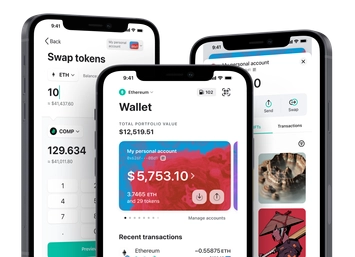
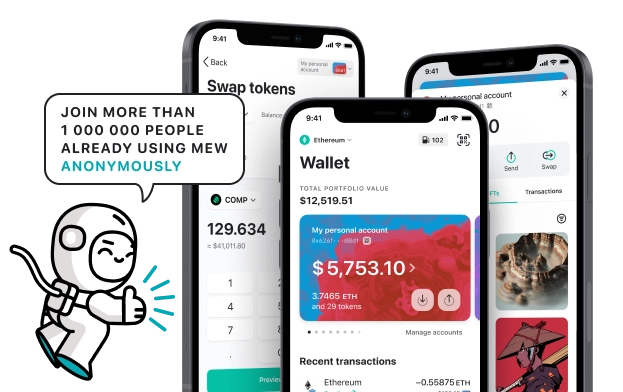
You can view, swap, send and receive FOX tokens directly from your MEW Wallet. To receive your FOX tokens you can send them to your public wallet address. You can then view them in your MEW Wallet by selecting your wallet and selecting the token from the tokens list. You should see the FOX token information page. You can send your FOX tokens in your MEW Wallet by clicking the ‘Send’ button and entering the recipient’s wallet address. To swap your FOX tokens, you can click the ‘Swap’ button and choose which tokens you want to swap to. However, if the ‘Swap’ button is not active you will need to use a DEX to swap your tokens.
You can view, swap, send and receive FOX tokens directly from your MEW Wallet. To receive your FOX tokens you can send them to your public wallet address. You can then view them in your MEW Wallet by selecting your wallet and selecting the token from the tokens list. You should see the FOX token information page. You can send your FOX tokens in your MEW Wallet by clicking the ‘Send’ button and entering the recipient’s wallet address. To swap your FOX tokens, you can click the ‘Swap’ button and choose which tokens you want to swap to. However, if the ‘Swap’ button is not active you will need to use a DEX to swap your tokens.
View FOX Contracts

Explore other tokens

Eurite
EURI

Marlin
POND

Ice Open Network
ICE

Bella Protocol
BEL

Celer
CELR

Block ($XYZ) tokenized stock
XYZON

USDB
USDB

Turbo
TURBO

Numbers Protocol
NUM

Worldcoin
WLD

Sandbox
SAND

Ankr
ANKR

AxyCoin
AXYC

OriginTrail
TRAC

Vectorspace AI
VAIX

DAI
DAI

Steakhouse USDC Morpho Vault
STEAKUSDC

FDUSD
FDUSD

Exeedme
XED

Virtuals Protocol
VIRTUAL

Fluid
FLUID

Carbon
CSIX

Cryptex Finance
CTX

Centrifuge
CFG